MQTT server settings
The adapter talks to the panels only over MQTT. This tab defines which broker that is. Without valid settings here most of the other tabs stay hidden — they require a working MQTT connection and at least one panel.
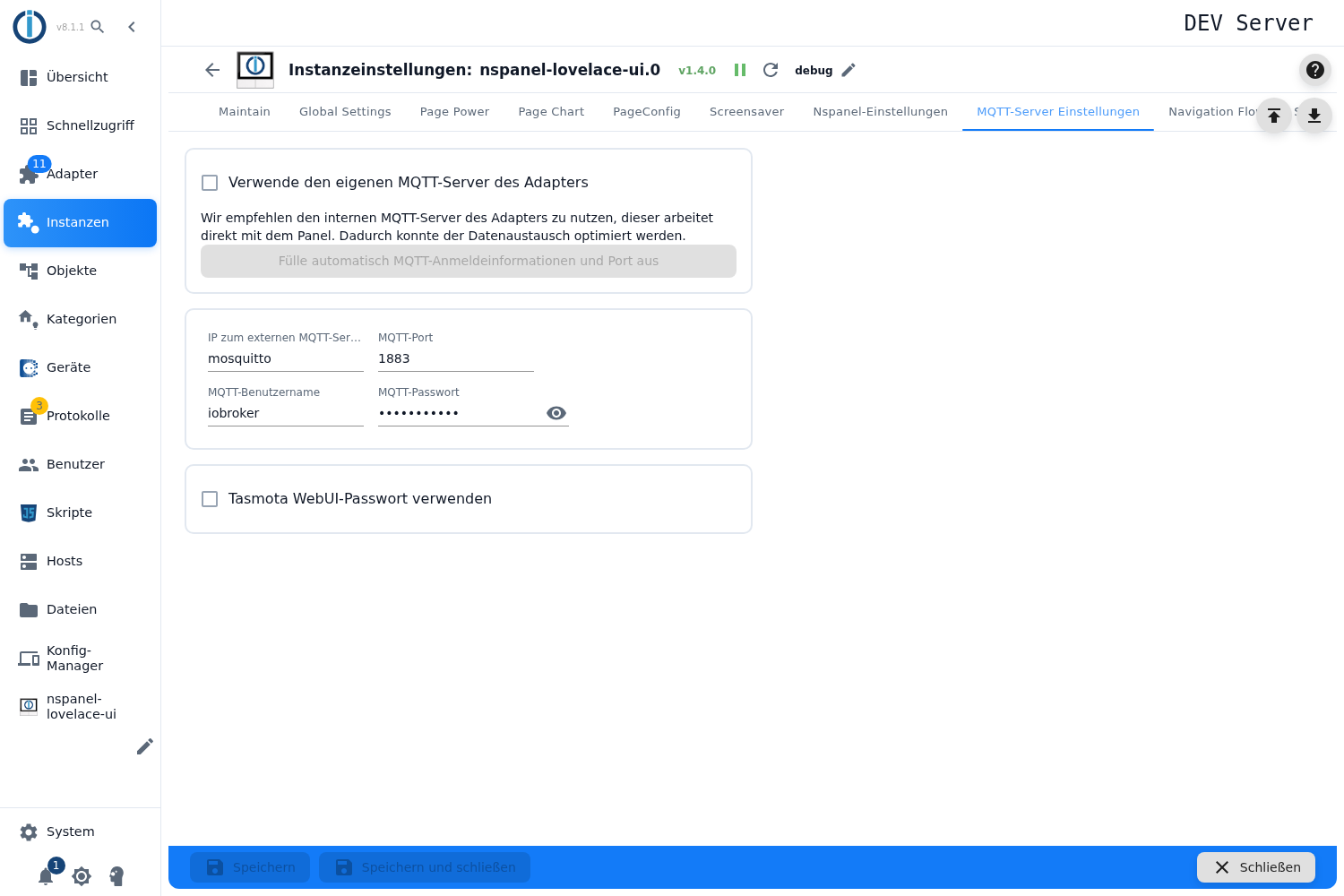
Own server or external broker
| Setting | Meaning |
|---|---|
| Use the adapter's own MQTT server | The adapter runs the broker itself. Recommended, because it talks to the panel directly. |
| Fill in the MQTT credentials and port automatically | Only with the own server: creates a random user name and a long random password and looks for a free port from 8883 upwards, so it does not clash with other adapters (Shelly, Sonoff …). |
| IP of the external MQTT server | Address of the foreign broker. With the MQTT adapter, the IP of the ioBroker host; with Mosquitto, its address. Disabled while the own server is active. |
| MQTT port | The port the broker listens on — usually 1883 with Mosquitto, or whatever is configured in the MQTT adapter. |
| MQTT user name / MQTT password | Credentials the panel uses to log in to the broker. The password can be revealed with the eye icon; it is stored encrypted. |
| Use the Tasmota WebUI password | Switch on if the panel's web interface is password protected. Only then does the Tasmota WebUI password field appear. |
What the Tasmota password is for
The adapter does not only talk to the panel over MQTT; for some jobs it uses the panel's web interface directly — installing the Berry driver, restarting, and the tools in the tasmotaTools tab. If that interface is protected, the adapter appends the credentials stored here automatically. Without the password exactly those actions fail.
Notes
- All fields are disabled while the instance is not running. The autofill button needs a running instance.
- Changing the broker affects the panels: during the next NSPanel initialisation the MQTT settings inside Tasmota are overwritten and pointed at the server configured here. Panels that already run have to be initialised again for that.
- Saving restarts the instance — normal behaviour for ioBroker instance settings.
How to put a panel into service from here is described under adapter installation.
