Icon overview
A lookup aid: it lists every icon the adapter ships with, together with its name. That name is what you enter in the icon fields of the page and screensaver configuration.
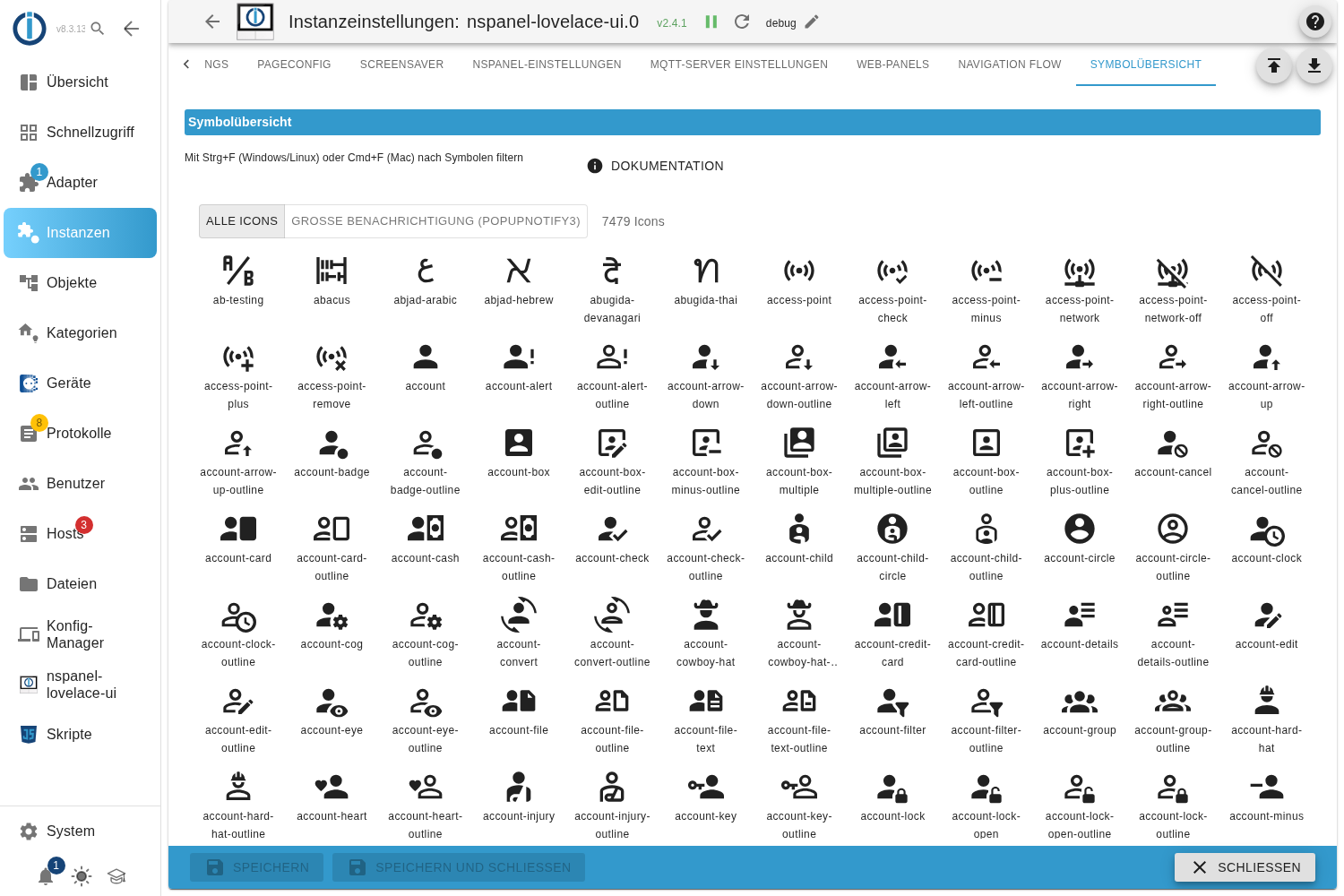
Searching and using a name
- Show the search field:
Ctrl + F(Windows/Linux) orCmd + F(Mac). The same hint is printed above the list: Use Ctrl+F (Windows/Linux) or Cmd+F (Mac) to filter the icons. The field is labelled Filter icons and filters the list by part of a name, case does not matter. The X in the field clears the filter and hides the field again. - Copy a name: clicking an icon puts its name on the clipboard (not the image). The tooltip of the icon reads
Click to copy: <name>, and after the click the message<name> copiedconfirms it briefly. From there the name can be pasted into any icon field. - The overview is read-only — clicking changes nothing in the configuration.
Large notification (popupNotify3)
Above the list there are two buttons:
| Button | Meaning |
|---|---|
| All icons | The whole collection (default). |
| Large notification (popupNotify3) | Only the icons the panel can show in the notification with a big icon. The tooltip of the button puts it like this: Only these icons can be shown large in the notification, any other icon falls back to information-outline. |
The filter Filter icons works in both views. To the right of the buttons stands how many icons are visible right now ("… icons").
Notes
- The collection is large (several thousand icons); the filter is the fastest way in. Typing
thermometer, for instance, leaves the temperature variants. - The icons take the text colour of the interface, so they are visible in dark mode too. Which colour an icon gets on the panel is set where the icon is used.
- While this tab is open,
Ctrl + Fis captured by the interface — the browser's own search is available again once you leave the tab. - Besides the Material Design Icons there are a few own icons: window and roller shutter variants (e.g.
window-tilt-variant,window-shutter-50) and, from TFT 6.1.0 on, the media playersalexa,mpd,sonos,boseandvolumio(spotifyanddlnacome from MDI). A TFT before 6.1.0 shows nothing for the player icons.
