Global settings
These settings apply to all panels of the instance together — unlike the page and screensaver configuration, which is made per panel.
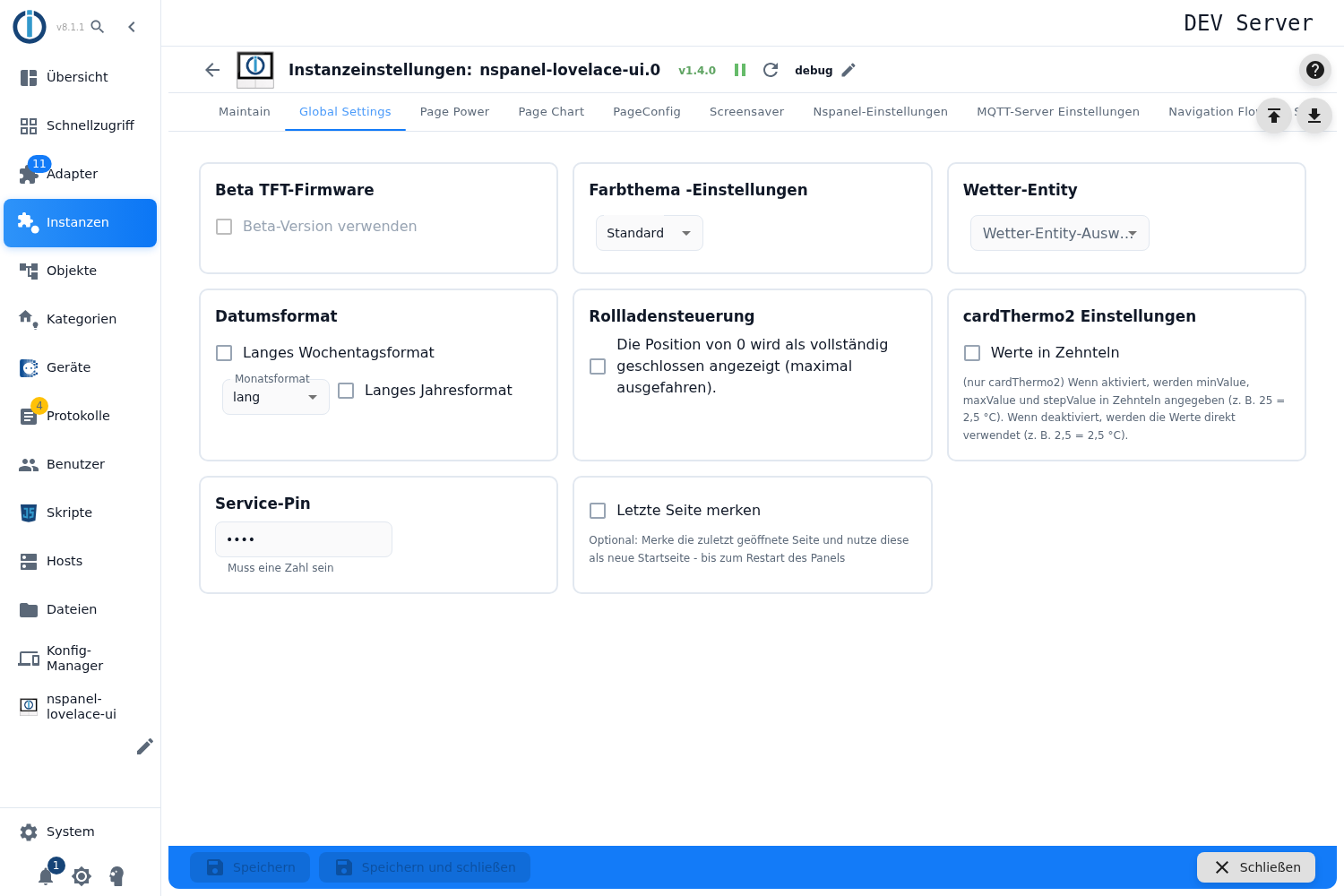
Settings
| Setting | Effect |
|---|---|
| Beta firmware → use beta for TFT, Berry driver and Tasmota | The tick switches all three firmware parts to their beta builds: TFT UPDATE in the maintain tab installs the beta TFT instead of the stable one, the Berry install takes the beta driver (berry-beta), and TASMOTA UPDATE together with its version display follows the tasmota-beta entry of the version list — if that entry is missing, Tasmota stays on the stable version. Only usable in expert mode, and the box turns red while the tick is set — a deliberate warning. |
| Colour theme | Colour scheme of the panel: standard, tropical, technical, sunset, volcano or your own colours. With your own colours an additional tab appears in which every colour is set individually (colour themes). |
| Weather entity | The adapter instance the weather data comes from. The supported weather adapters are offered — brightsky, OpenWeatherMap, Pirate Weather and AccuWeather. |
| Date format | Long weekday format spells the weekday out, month format chooses between spelled out, abbreviated and numeric, long year format shows four digits instead of two. |
| Shutter control | Defines whether position 0 means fully closed. This convention differs between manufacturers — here it is switched for all shutter items. |
| cardThermo2 → values in tenths | Only affects cardThermo2: are minimum, maximum and step given in tenths (25 = 2.5 °C) or directly (2.5 = 2.5 °C). |
| Service PIN | Numeric PIN for the panel's service pages. Stored encrypted. |
| Remember last page | The panel remembers the page last opened and uses it as its start page — until the panel restarts. |
Notes
- Saving restarts the instance, and that affects all panels at once.
- The fields are disabled while the instance is not running.
- The weather source has to exist as its own adapter instance; the field does not accept free input.
